01
Several contacts at one customer
A few people at the same company may get in touch separately. Company details and what each person said are best kept on one record.
Customer details, enquiries, quotes and follow-up notes, all in one system. Your sales team can look back at past conversations or plan the next follow-up without hunting around.
AppsCraft finds developers or a software company on the platform to build the system. We remain your project contact and follow its progress.
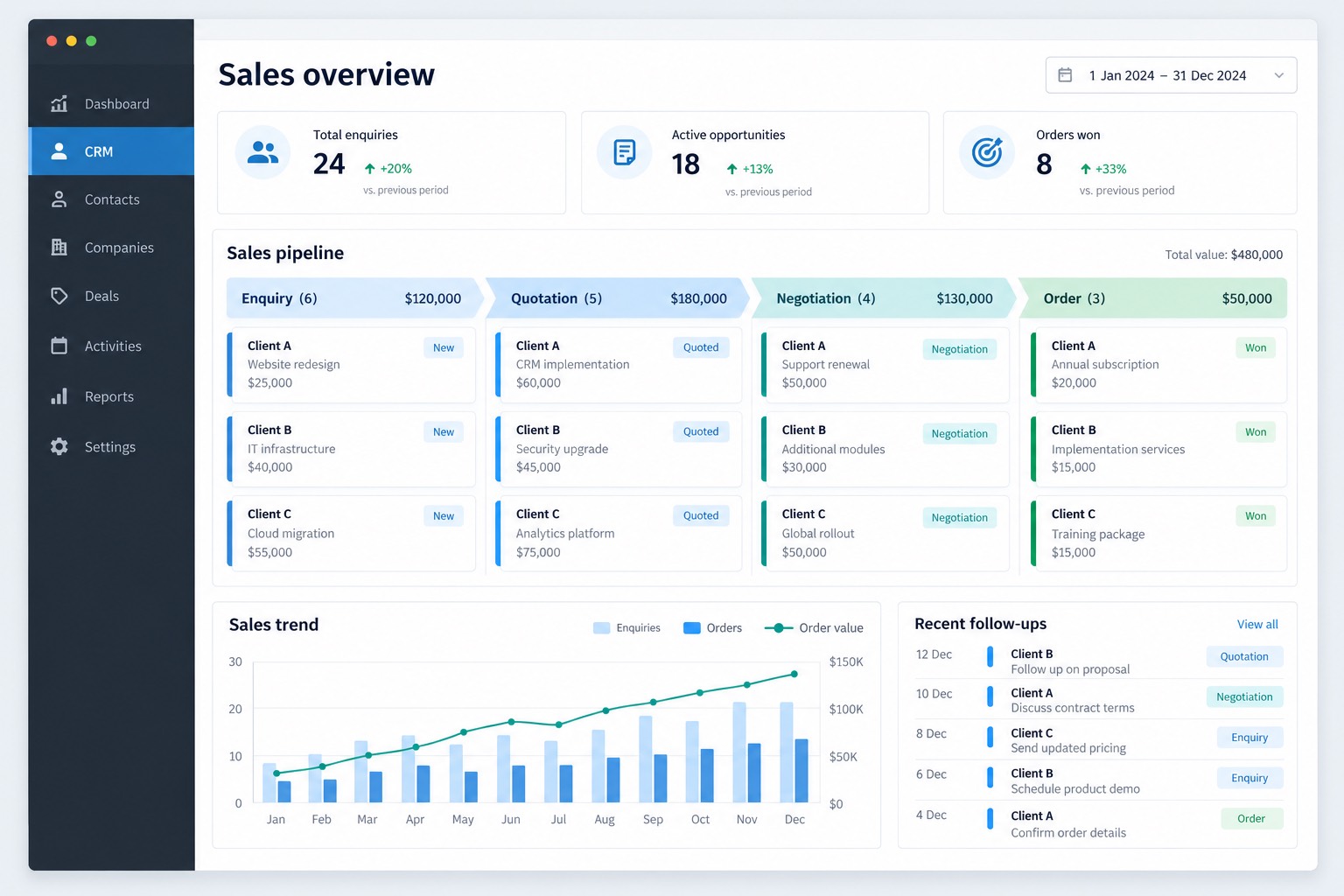
Between receiving an enquiry and confirming the order, someone has to note what the customer asked for, the product details, each version of the quote and how every follow-up went.
A few people at the same company may get in touch separately. Company details and what each person said are best kept on one record.
Each product has its own enquiry, quotes and documents, and you need to know which quote goes with which product.
When records are kept in different places, whoever takes over has to dig back through old correspondence.
Before work starts, we agree the CRM features you need and the requirements for each one.
Company details, each contact and past correspondence sit on the same record. You can decide by role which colleagues see which customers.
The enquiry, every version of the quote and the product details are linked on one record. When a customer asks what you quoted last time, you can find it straight away.
Each customer record identifies the person responsible, the next follow-up date and notes from previous conversations. A colleague taking over can review this history. Follow-up reminders can be added if needed.
Customers can be assigned to named colleagues, and access to quotation history can be set by role. Assignment and access both follow the way your sales team works now.
Before any development, we look at how you record customers and quotes today, then decide how the system should hold that information.
We usually take one real deal as the example and break it down into the fields to fill in, who handles it and what each person can see. After that, we talk to the developer about features and testing.
Say what’s most awkward and what you’d rather keep. We’ll use that to decide which features come first.
AppsCraft agrees the scope with you, then finds a development company or freelancer on the platform to build it. Once work starts, questions from either side come to us, and we keep track of progress and handover.
We go over how you work today and write it up as a feature list. Development and testing then work from that list.
Once the scope, existing technology and deliverables are settled, we bring in a development company or independent developer and agree the features and testing with them.
The partner does the development. When you’ve tested it and want changes, tell us. We pass them on and keep track of progress.
At delivery we check each item on the agreed handover list. Records are kept on file for later changes or a handover.
You discuss the requirements with AppsCraft and pay AppsCraft. We arrange the contractor and coordinate the project through delivery.
No spreadsheet? Bring a reference screen or a problem you want solved, and we’ll start from there.